To access the Alarm Response view, click the Alarm Response button on the Views menu.
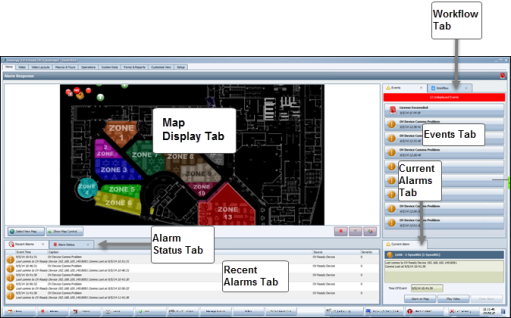
The default Alarm Response view consists of four panels; the upper left panel contains the Map Selection tab. The lower left panel contains the Recent Alarms tab and the Alarm Status tab. The panel on the upper right contains the Events tab and the Workflow tab. As with any view you select in the Primary Window, you can move and rearrange tabs and resize panels.

Comments
0 comments
Please sign in to leave a comment.