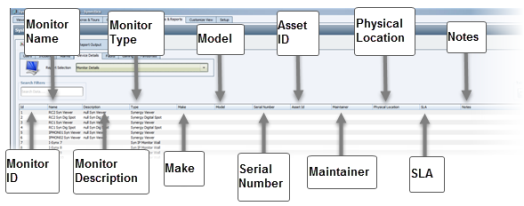
The Monitor Details report provides a table of information regarding all monitors set up on your system. The following screenshot shows the columns included in the table.
Use the Search Filter to narrow your report to a specific name or type of monitor or you can report on all monitors in the list. You can also filter the data by selecting column-level values. For details on filtering reports with column-level values, see Filtering Reports on page 1.
To generate a report, when the data that you want is displayed, select an output format and click the Save Data As button at the bottom of the Reports tab.

Comments
0 comments
Please sign in to leave a comment.